
Most early ecommerce failures are not product failures. They are architecture decisions made in week one that quietly tax every month afterwards. Choosing the right ecommerce tech stack for startups means assembling the smallest set of tools that can take an order, fulfil it reliably, and hand you clean data — without forcing a rebuild in year two.
Short answer: for most startups in 2026, a hosted commerce platform (Shopify or BigCommerce) with a managed payment gateway, transactional email, an image CDN, and a lightweight analytics layer is the fastest and lowest-risk stack. Go headless or fully custom only when catalogue complexity, multi-region selling, or a genuinely differentiated shopping experience justifies owning engineering you will have to maintain forever.
This guide breaks the stack into layers, compares four realistic build paths, and gives you reference stacks you can copy based on your business model — plus the migration signals that tell you when to change course.
What an Ecommerce Tech Stack for Startups Actually Includes
An ecommerce tech stack is the set of software layers that together handle discovery, checkout, payment, fulfilment, and measurement. Every store has all of them. The only real decision is which layers you accept bundled from one vendor and which you buy or build separately.
- Storefront: the web experience, plus an optional mobile app.
- Commerce engine: catalogue, variants, cart, checkout, promotions, customer accounts.
- Payments and financial operations: payment gateway, tax calculation, fraud screening, subscriptions, refunds.
- Content and media: CMS, digital asset management, image and video delivery.
- Operations: inventory, order management system (OMS), shipping, returns, 3PL integration.
- Growth and data: analytics, product feeds, email and SMS, reviews, onsite search.
Startups get into trouble by treating these as a shopping list of apps rather than a system with dependencies. Ten cheap plugins that each own a slice of checkout will cost more in maintenance and debugging than one platform that owns the whole flow.
How to Choose an Ecommerce Stack: Five Criteria That Matter in 2026
1. Time to first revenue
Every week spent wiring infrastructure is a week not spent validating demand, pricing, and acquisition channels. If your product hypothesis is unproven, optimise for a launch measured in days, not quarters.
2. Total cost of ownership over 24 months
Compare subscription plus processing fees plus app fees plus hosting plus engineering time. A platform with a higher monthly price and no developer dependency frequently beats a free open-source core that needs a part-time engineer to stay patched and fast.
3. Data ownership and exit cost
Ask three questions before signing: can you export products, customers, orders, and subscriptions in a usable format; can you take your checkout and content elsewhere; and does the vendor expose stable APIs? Composable commerce is only composable if leaving is realistic.
4. Who will maintain it
A stack is a staffing decision. Self-hosted and headless architectures assume someone owns dependency upgrades, security patches, and incident response. If nobody on the team wants that job, the architecture is wrong regardless of how elegant it looks.
5. Where your differentiation actually lives
If your edge is brand, product, or community, a standard storefront is fine. If your edge is a configurator, a rental calendar, a marketplace matching engine, or complex B2B pricing, that specific layer deserves custom engineering — not the entire stack. For a broader view of tooling categories and their trade-offs, the website development tools comparison is a useful companion read.
Ecommerce Tech Stack Comparison: Four Paths for Startups
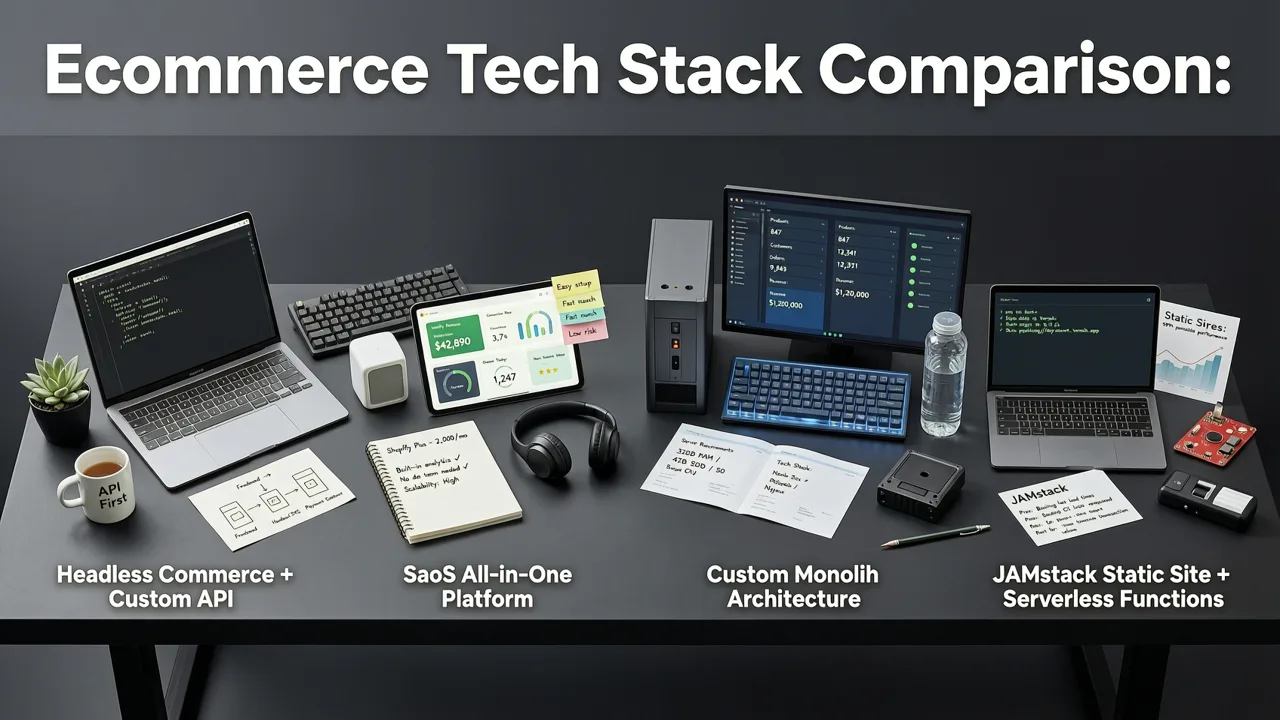
These are the four architectures that realistically fit an early-stage store. Timelines are planning ranges for a small team, not guarantees.
| Path | Typical components | Best fit | Launch timeline | Cost profile | Main trade-off |
|---|---|---|---|---|---|
| Hosted SaaS | Shopify or BigCommerce, native payments, app ecosystem, platform theme | DTC brands, single or few markets, standard checkout | Days to a few weeks | Predictable subscription plus processing and app fees | Platform constraints; custom logic limited to extension points |
| Self-hosted open source | WooCommerce or Medusa, managed hosting, custom plugins | Content-heavy stores, teams with PHP or Node skills | Two to six weeks | Low licence cost, higher maintenance and hosting effort | You own security, upgrades, and performance |
| Headless / composable | Next.js or Hydrogen front end, commerce API, separate CMS and search | Multi-channel, multi-region, editorial-driven brands | Six to twelve weeks | Several subscriptions plus ongoing front-end engineering | More moving parts; every feature spans multiple vendors |
| Custom build | Node, Laravel, or Django with Postgres, bespoke checkout and admin | Marketplaces, rentals, regulated or novel transaction models | Three months or more | Engineering-heavy, front-loaded | You rebuild commodity features that platforms give free |
The pattern worth noticing: as you move down the table, control increases and so does the surface area you are responsible for. Most startups should start in row one or two and earn their way down only when a specific constraint demands it.
Layer-by-Layer Picks for a 2026 Startup Stack
Storefront and front end
Start with a well-built platform theme. Modern themes are fast, accessible, and conversion-tested by default. Move to a custom front end — Shopify Hydrogen, Next.js, or Astro — when you need editorial content interwoven with products, multiple locales with different catalogues, or a shopping interaction the theme cannot express. The Shopify developer docs are the reference point for what headless and checkout extensibility actually allow, and reading them before committing prevents expensive assumptions.
Commerce engine and catalogue
Let the platform own cart, checkout, and promotions for as long as possible. These are solved problems with security and compliance implications. Introduce a product information management (PIM) system only when you have large variant trees, several sales channels, or supplier data arriving in inconsistent formats. Below a few hundred SKUs, a disciplined spreadsheet import plus native catalogue fields is usually enough.
Payments, tax, and fraud
Use a managed gateway such as Stripe, Adyen, or the platform's own processor, and keep card data out of your servers by using hosted fields or hosted checkout. That single decision keeps your PCI obligations minimal. Add automated tax calculation once you sell across borders, support wallets like Apple Pay and Google Pay for mobile conversion, and confirm strong customer authentication handling for European traffic. If you are building stored-value, lending, or wallet features, treat compliance as a design input from day one.
Search, merchandising, and recommendations
Native platform search handles small catalogues well. Upgrade to a dedicated engine such as Algolia, Typesense, or Elasticsearch when you need typo tolerance, synonym dictionaries, faceted filtering across many attributes, or personalised ranking. Measure search exit rate and zero-result queries before you buy anything — those two signals tell you whether search is actually costing you sales.
Content, media, and CMS
Pair the commerce engine with a CMS only if content is a genuine acquisition channel. Sanity, Contentful, or Storyblok work well alongside a headless storefront; platform metafields and metaobjects work well without one. Serve every image through a transforming CDN with modern formats and explicit dimensions. Media weight is the most common cause of slow product pages.
Inventory, orders, and fulfilment
One warehouse and one channel means native inventory is fine. Two warehouses, a 3PL, retail, or a marketplace channel means you need an order management system as the source of truth, with the storefront as a consumer of it. Split inventory across systems without a single owner and you will oversell during your first promotion.
Analytics, consent, and retention
Instrument server-side purchase and refund events alongside client-side tracking so revenue data survives browser restrictions. GA4 or a privacy-focused tool such as Plausible or PostHog both work; what matters is a documented event schema, a consent mechanism appropriate to your markets, and one dashboard everyone trusts. Add email or SMS early — retention is cheaper than acquisition from the first cohort.
The mobile app layer
An app is not a launch requirement. It earns its place when you have repeat purchase behaviour, loyalty or wallet features, order tracking, or push notifications that genuinely drive reorders. When it does, cross-platform frameworks such as Flutter or React Native let one team cover iOS and Android against the same commerce API. Our breakdown of cross-platform app development cost explains how budget is distributed across design, engineering, and store launch.
Three Reference Stacks You Can Copy
Lean DTC launch, single market, under 200 SKUs
- Hosted SaaS storefront with a premium theme
- Platform payments plus one wallet-friendly alternative
- Native search, native reviews app, image CDN
- Email automation and a single analytics property
If the offer is really a handful of products attached to a content site, a builder may cover it entirely — the trade-offs are covered in our no-code website builder guide for small business.
Subscription or replenishment brand
- Commerce platform with a mature subscription extension
- Gateway supporting network tokens and account updater to reduce involuntary churn
- Customer portal for skip, swap, and pause
- Cohort and churn reporting wired to server-side events
Multi-vendor marketplace or B2B catalogue
- Custom application layer for vendor onboarding, payouts, and pricing rules
- Commerce API or self-hosted engine for cart and order primitives
- Dedicated search and a PIM for heterogeneous supplier data
- Separate admin tooling, because vendor operations are your real product
Performance, SEO, and Product Feeds Are Stack Decisions
Technical growth constraints are usually architectural, not cosmetic. Three areas deserve attention before launch rather than after.
Core Web Vitals. Largest Contentful Paint, Interaction to Next Paint, and Cumulative Layout Shift are influenced by render strategy, third-party scripts, and image handling. Every app you install adds JavaScript to pages that may not need it. Audit script weight quarterly and remove anything not tied to a decision.
Structured data and crawl control. Product and Offer markup, stable variant URLs, canonical rules for filtered collections, and a clean sitemap determine how much of your catalogue is discoverable. Headless setups need this built explicitly; platform setups need it checked, because themes vary.
Shopping feeds. If paid shopping is part of your acquisition plan, your stack must produce accurate identifiers, availability, and price data that matches the landing page. Mismatches cause disapprovals, and the requirements are documented in Google Merchant Center help. Decide early whether feeds come from the platform, a feed tool, or your PIM — retrofitting this is painful.
What the Stack Costs, and Where Budgets Leak
Rather than quoting prices that change every quarter, map the cost lines and their drivers. This is the structure to put in your model.
| Cost line | What drives it | How to keep it lean |
|---|---|---|
| Platform subscription | Feature tier, B2B or multi-store needs, staff accounts | Stay on the lowest tier that supports your actual workflow |
| Payment processing | Volume, card mix, cross-border and currency conversion | Enable local payment methods; review cross-border fees |
| Apps and plugins | Per-app monthly fees that compound quietly | Quarterly audit; remove overlapping functionality |
| Hosting and delivery | Traffic, image and video weight, edge functions | Compress media, cache aggressively, limit third-party scripts |
| Engineering | Custom features, integrations, upgrades, incident response | Customise only your differentiating layer |
| Data and lifecycle tools | Contact volume, event volume, seat count | Consolidate email, SMS, and reviews where possible |
The most common leak is not the platform fee. It is the accumulation of small subscriptions plus the untracked engineering hours spent making them cooperate. Budget a replatforming reserve too — successful stores usually change architecture at least once.
Replatforming Signals and a Low-Risk Migration Sequence
Signals you have outgrown the stack
- Checkout cannot express a required business rule without fragile workarounds
- Peak-traffic performance degrades and you cannot control the bottleneck
- Inventory or order data lives in two systems with no clear owner
- App fees plus maintenance exceed the cost of a cleaner architecture
- Expansion into a new region or channel is blocked by the platform
A strangler-style migration in six steps
- Freeze new features on the old stack and document current behaviour.
- Export and clean catalogue, customer, and order data before touching code.
- Stand up the new stack behind a subdomain with a subset of products.
- Move one layer at a time — content first, then browsing, then checkout.
- Run parallel tracking and reconcile orders and revenue daily.
- Cut over with URL redirects mapped, feeds updated, and a rollback plan ready.
Never migrate checkout, search, and content in the same release. Isolating changes is what makes a rollback possible.
Stack Mistakes That Slow Startups Down
- Building headless for aesthetic reasons. A custom front end without a content or channel requirement adds cost and no revenue.
- Choosing tools before defining operations. Returns, exchanges, and partial fulfilment rules should drive the OMS decision, not the reverse.
- Ignoring exit cost. Subscription data and customer records are the hardest things to move later.
- Over-instrumenting. Five analytics tools with conflicting numbers is worse than one trusted source.
- Treating security as a later phase. Admin access, webhook verification, and dependency patching belong in the launch checklist.
A 30-Day Stack Decision Checklist
- Write down your transaction model: one-off, subscription, marketplace, or quote-based.
- List the three rules your checkout must support that a default platform cannot.
- Count SKUs, variants, warehouses, currencies, and languages for the next 18 months.
- Name the person who will own maintenance, and how many hours per week they have.
- Model 24-month total cost across all six cost lines above.
- Test export and API access on a trial account before committing.
- Ship the smallest stack that passes steps one to six, then revisit quarterly.
Choose the Stack You Can Grow Into
The best ecommerce tech stack for startups is the one your team can operate confidently while the business is still finding its shape. Start bundled, customise the layer that makes you different, and keep your data portable so the next architecture change is a project rather than a crisis. If you are weighing a storefront, a companion mobile app, or the SEO and ASO work that follows launch, explore the Devsrank guides linked above — and when you are ready to scope a build, our product strategy, engineering, and launch support teams work across fintech, healthcare, ecommerce, delivery, media, and travel products.
Frequently Asked Questions
What is the cheapest ecommerce tech stack for a startup?
Should a startup go headless or stay on a standard platform?
Do ecommerce startups need a mobile app at launch?
Which parts of an ecommerce stack should never be custom-built early?
How do I know when to replatform my ecommerce store?
Related topics
Need expert help?
Turn these insights into a better digital product.
Share your goals with our team and get a practical plan for design, development, performance, or growth.
Start a conversation